
QC Your AI Images
AI images require review before publishing — but what are your options if you find anomalies?
To maintain your credibility, always closely review any output from AI.

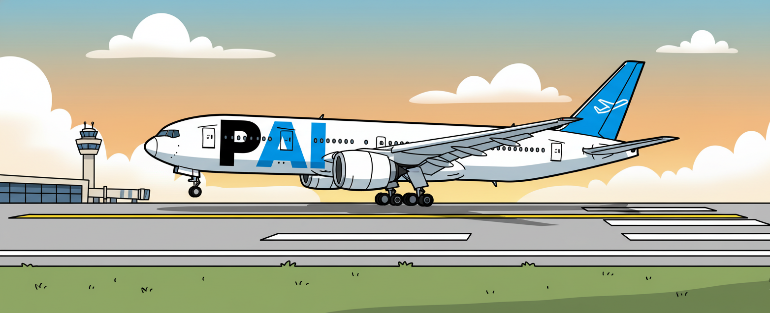






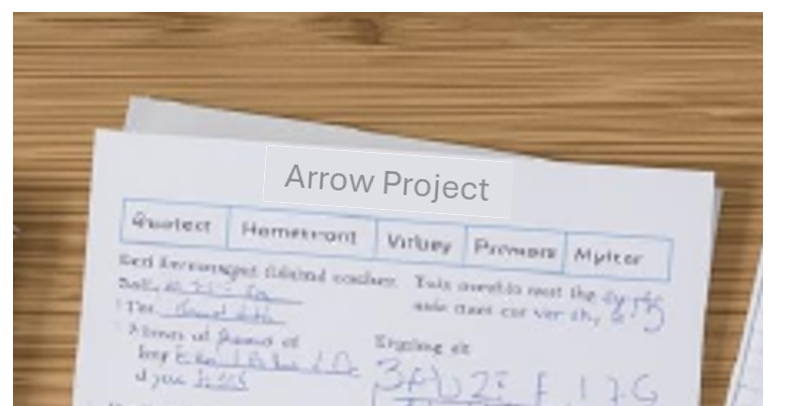
In this example, taken from the background of a larger image, we will insert relevant/correct text in the header.
Fear not if you have little or no experience with image-manipulation software — all the following changes are made in PowerPoint.
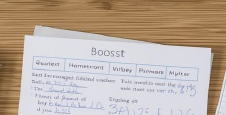
Next, create a text box and enter the correct spelling or new words.
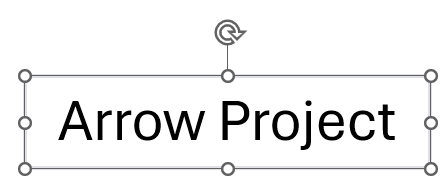
- Click on the text box
- Shape Format
- Shape Fill
- Eyedropper (click here for help with this tool)
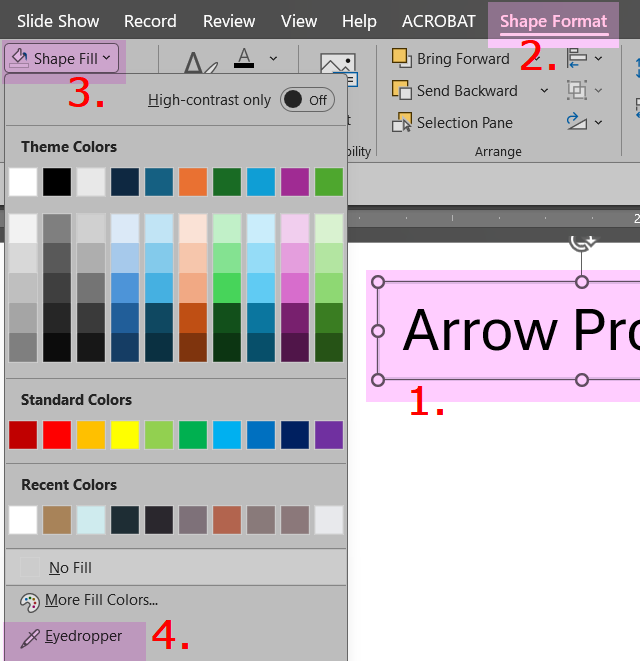
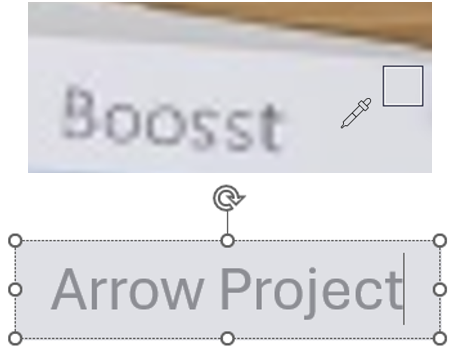
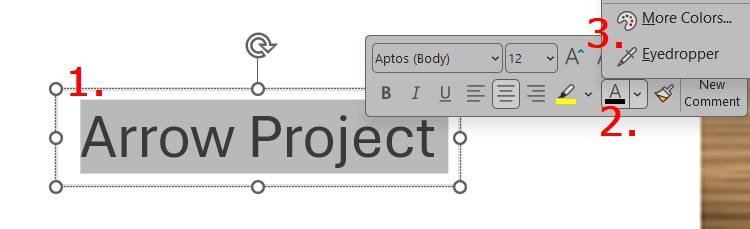
- Highlight the text in the text box
- Click on the "A"
- Select the eyedropper
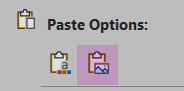
Note that the new image is at a different angle from the original, underlying image.
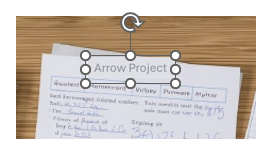
- Select the image and zoom in
- Picture Format (top of the screen)
- Arrange
- Rotate
- More Rotation Options
- Rotation
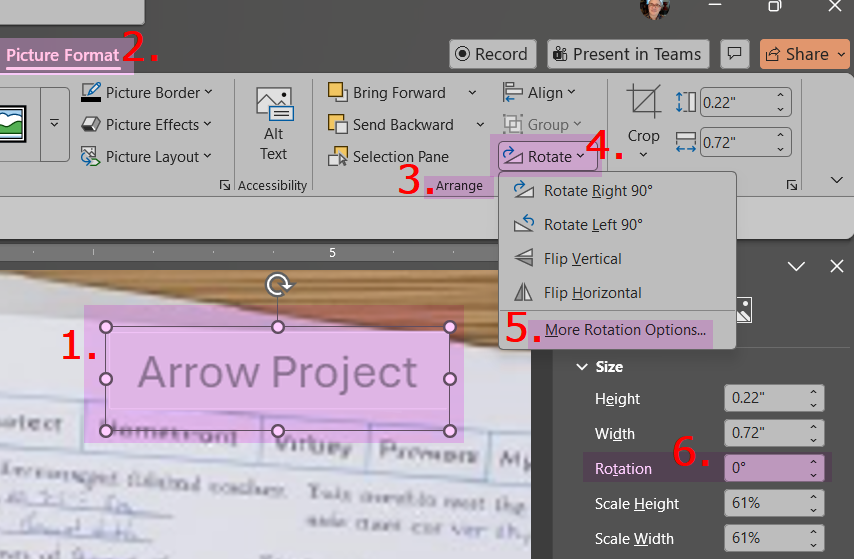

When you select this image to save it or paste it into its destination, remember that there are two images: the original and the new words. Select both before copying.
We welcome thoughtful and respectful discussion.
To keep this space safe and productive, please follow these guidelines:
Be respectful. Personal attacks, name-calling, and abusive language will not be tolerated.
Stay on topic. Keep comments relevant to the content of the post.
No spam or self-promotion. Links and promotions that are not relevant to the discussion will be removed.
Use appropriate language. This is a professional environment—please avoid profanity or offensive language.
Protect privacy. Don’t share personal information—yours or anyone else’s.
You may reply to, like, or flag other comments.
Comments are moderated and may be edited or removed at our discretion.
By commenting, you agree to abide by this policy.